
What Is an eSIM?
eSIM stands for Embedded Subscriber Identity Module. Unlike a traditional SIM card that you insert into your phone, an eSIM is built directly into your device’s hardware. You can activate it digitally—no more swapping plastic chips.
It stores the same information as a physical SIM and connects you to your carrier’s mobile network, but it’s more flexible, secure, and easier to manage.
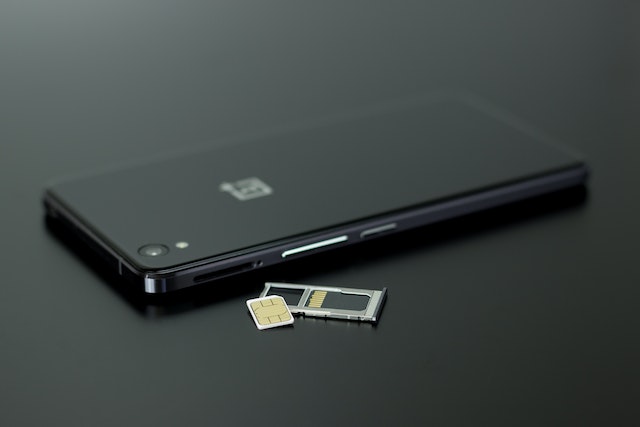
eSIM vs Physical SIM: Side-by-Side Comparison
| Feature | eSIM | Physical SIM |
|---|---|---|
| Form Factor | Embedded (no card needed) | Removable plastic card |
| Setup | Instant QR/Carrier activation | Insert manually into SIM tray |
| Switching Carriers | Fast, digital | Must replace SIM card |
| Dual SIM Capability | Often supports dual/eSIM combo | Usually requires second SIM slot |
| Security | More secure, can’t be stolen | Can be lost/stolen |
| International Travel | Easy to switch to travel eSIMs | Requires local SIM purchase |
| Device Compatibility | Newer devices only | Widely compatible |
eSIM technology works just like a traditional SIM—but with software instead of hardware. Here’s how:
Carrier Profile Download
You scan a QR code or use an app from your mobile carrier to download your SIM profile.Network Authentication
The eSIM activates your unique mobile identity over-the-air with your carrier.Multiple Profiles
You can store more than one profile (great for dual numbers or international travel) and switch easily.Secure & Encrypted
eSIM profiles are encrypted, reducing the risk of SIM cloning or theft.
Benefits of Using an eSIM
No SIM Swapping Needed
Activate new lines from anywhere.Perfect for Travelers
Use international data plans without buying local SIMs.More Durable
No damage risk from inserting/removing cards.Eco-Friendly
Reduces plastic waste and packaging.Ideal for Dual-SIM Phones
Keep personal and business lines separate.
Top Devices That Support eSIM (2025)
iPhone 14/15/SE (2022+) – US models are eSIM-only
Google Pixel 4 and newer
Samsung Galaxy S20+ and newer
Motorola Razr (2023+)
iPad Pro and iPad Air (2021+)
Popular U.S. Carriers That Support eSIM
| Carrier | eSIM Support | Prepaid/Travel eSIM Plans |
|---|---|---|
| AT&T | ✅ Yes | Yes |
| Verizon | ✅ Yes | Yes |
| T-Mobile | ✅ Yes | Yes |
| Google Fi | ✅ Full eSIM | Yes, great for travel |
| Mint Mobile | ✅ Yes | Budget-friendly plans |
Going abroad? Skip the airport SIM hunt. With eSIM, you can:
Download a travel data plan before you leave (e.g., from Airalo, Holafly, or Ubigi)
Use local internet without roaming charges
Switch back to your U.S. number anytime
How to Activate an eSIM (Step-by-Step)
Make sure your phone is unlocked and eSIM-compatible
Buy a plan from your carrier or travel eSIM provider
Scan the QR code or install the carrier app
Confirm activation in your phone settings
Start using your new number or data plan instantly
FAQs
Q1: Can I still use a physical SIM and eSIM at the same time?
A: Yes! Many phones support dual SIM mode, letting you use both at once.
Q2: What happens if I switch phones?
A: You’ll need to re-download your eSIM profile or request a new one from your carrier.
Q3: Is eSIM more secure than physical SIM?
A: Yes. It’s embedded in your device, making it harder to clone or steal.
Q4: Can I go back to a physical SIM after using an eSIM?
A: In most cases, yes—if your device has a SIM tray and your carrier supports both.
Q5: Do all carriers support eSIM?
A: Most major U.S. carriers do, but always check your plan and device first.
Trusted Resources
Final Thoughts
eSIM is the future of mobile connectivity. It’s more flexible, secure, travel-friendly, and environmentally conscious than traditional SIM cards. If you’re using a newer phone and value convenience, switching to eSIM could be one of your smartest tech moves in 2025.