
Want to make a QR code from a URL, text, image, or social profile? Need a simple tool that works for everyone — from students to business owners? You’re in the right place.
Our Free QR Code Generator is your all-in-one tool to create, scan, and customize QR codes effortlessly. No sign-up, no fees — just fast, user friendly QR code generation right from your browser.

Free QR Code Generator – Create & Customize QR Codes Instantly
Generate QR Code
Scan QR Code
Scan result will appear here...
What Is a QR Code Generator?
A QR code generator lets you instantly create QR codes from links, text, numbers, or data. These codes can be scanned by a smartphone camera and are widely used in marketing, education, business cards, and contactless menus.
We offer a completely free QR code generator with a simple interface, optional background images, and real-time QR code previews.
Features of Our Free QR Code Generator Plugin
| Feature | Description |
|---|---|
| Free to Use | No fees or registration needed |
| Create from URL/Text | Enter any URL or text to generate a scannable QR code |
| Upload Background Image | Add your own image as the background of the QR code (new feature) |
| Scan with Camera | Scan any QR code instantly using your device camera |

How to Generate a QR Code
- Open the QR tool page.
- Enter your URL, text, or data.
- (Optional) Upload a background image.
- Click Generate.
- Download or share your QR code instantly.
This answers one of the most asked questions online: How to generate a QR code? Easy, fast, and free.
How to Make a QR Code From a URL
If you’re asking how to make a QR code from a URL, simply paste your website or link into our tool and click Generate. It works with:
- Websites
- Google Maps
- YouTube Links
- Contact Pages
- Social Profiles
How to Create a QR Code With a Custom Background
New feature: You can now สร้าง QR code (create a QR code) using your own images. Upload any background photo, and our tool overlays the QR code in the center. Perfect for designers, businesses, or creatives looking to brand their codes.
This works for those searching “qr code 產生 器” or “create QR code with custom image background.”
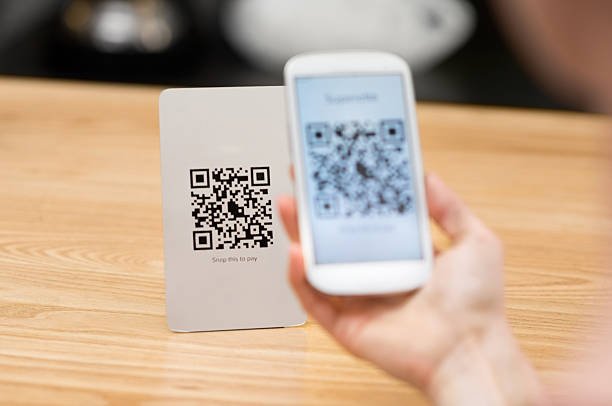
How to Scan a QR Code (Free & Accurate Methods)
Many people ask: “How do I scan a QR code?” Don’t worry — here’s the correct and up-to-date guide, using free tools only.
1. Use Your Phone’s Built-in Camera
Most modern smartphones have QR scanning built-in:
iPhone (iOS 11 and above):
- Open the Camera app
- → Point it at the QR code
- → Tap the pop-up.
Android (Android 9 and above):
- Open the Camera
- → Point at the QR code
- → Tap the result.
No app needed. It just works.
2. Use Google Lens (Free on Android)
If your camera doesn’t auto-detect:
- Open the Google app or Google Lens.
- Tap the camera/Lens icon.
- Scan the QR code and follow the link.
3. Use a Trusted Free QR Code Scanner App
If your phone doesn’t support QR scanning natively:
- Go to the App Store or Google Play.
- Search for: Free QR Code Scanner
- Choose one with high ratings (avoid spammy ones).
- Use it to scan any QR code instantly.
Don’t Get Confused: Common Myths
| Myth | Reality |
|---|---|
| I need a paid app | No — free tools work just fine. |
| Scanning only works online | Not always — it depends on the QR content. |
| You can’t scan on older phones | You can — just use Google Lens or a free app. |
How to Generate a Facebook QR Code
Want to share your Facebook page? Enter your Facebook profile or page URL into our generator, and it will create a Facebook QR code. Share it online or print it for marketing.
This covers all users searching for how to generate FB QR code or promote Facebook pages offline.
Why Use Our Free QR Code Generator Plugin?
- No watermark
- No subscription
- Instant results
- Add it anywhere on your WordPress site
- Create QR codes with your logo, image, or custom background
You don’t need an external website. Our plugin is fast, lightweight, and fully integrated into your WordPress site.
Common Questions Answered
| Question | Answer |
| Is it really free? | Yes, 100% free forever |
| Can I add background image? | Yes, upload any image you want |
| Can I scan QR codes too? | Yes, with your phone camera or webcam |
| Do I need to register? | No account or login required |